Meet RUX Mobile: One Platform Bringing RUX Apps to Field Technicians on the Job Site
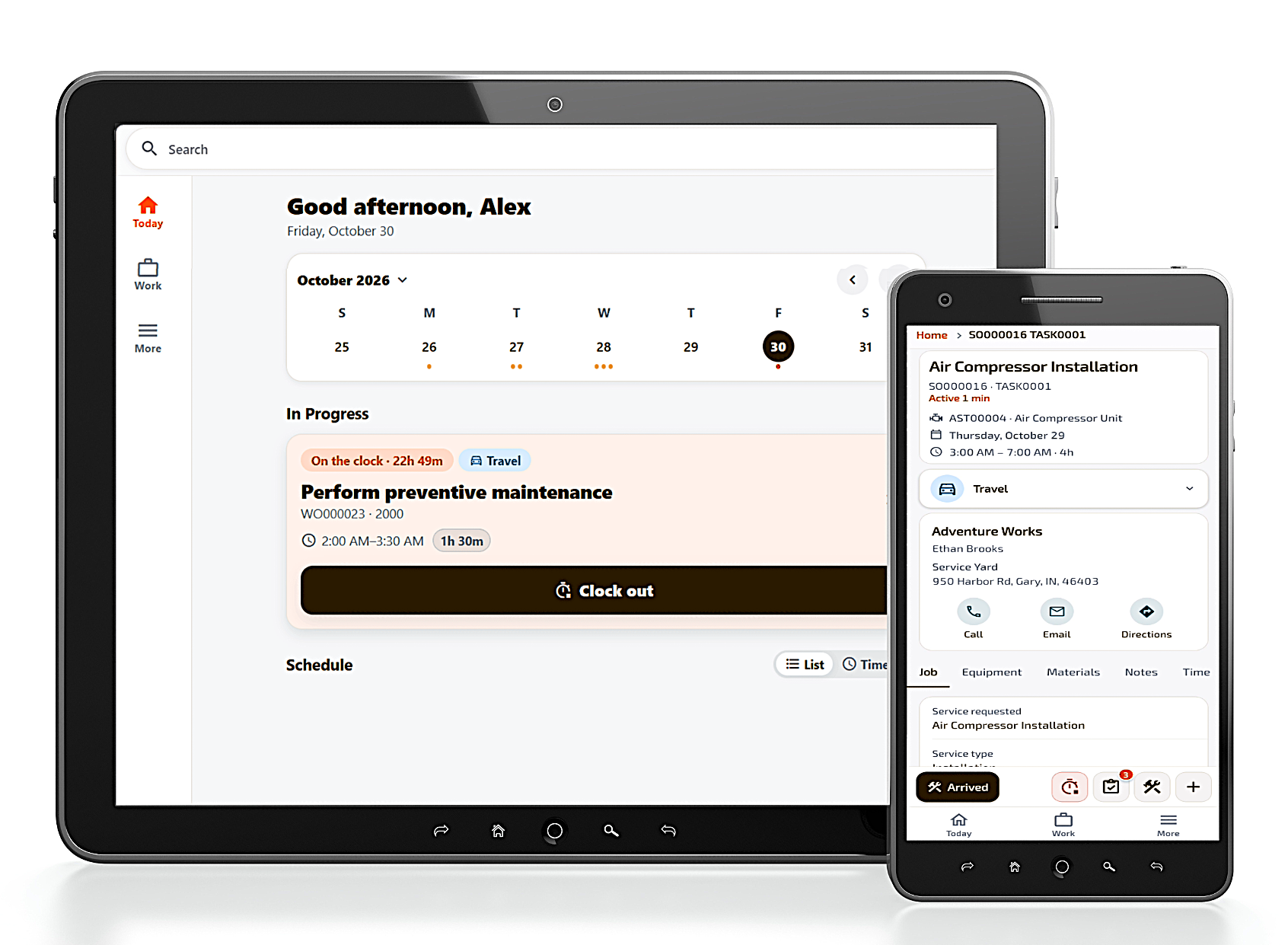

Accessing your business software should not be limited to the office because your team doesn’t spend the entire workday behind a desk. Your technicians are on customer sites, service managers are coordinating jobs, and other employees are moving between locations to keep business operations running.
RUX Software is changing how its applications reach the people who need them with the launch of RUX Mobile, a new mobile platform designed to put RUX products directly into the hands of the people doing the work. Read the full news release here.
Built for native iOS and Android devices, RUX Mobile provides one secure app, one sign-in, and a growing collection of mobile experiences. The first application available on the platform is RUX Service, bringing a complete field service experience to your technicians wherever the job takes them.
And this is only the beginning.
One app. Multiple RUX products.
As your business grows, your software requirements grow too. Adding mobile capabilities often means introducing another application, another installation, and another system for your employees and IT team to manage.
RUX Mobile offers a different approach.
Rather than building a separate mobile app for every RUX product, the platform provides a single application with a central launcher and app switcher. Your Business Central users can access the RUX applications they have been granted permission to use, all through one familiar mobile experience.
RUX Service is the first application available and future RUX products are designed to plug into the same platform.
For businesses already using RUX solutions, this creates a straightforward path to additional mobile capabilities. As new applications become available, users can access them through RUX Mobile without needing to install and learn an entirely new app.
Your administrators also maintain control over which applications are enabled and which users can access them.
The goal is to make it easier for you to put useful software into your team’s hands without adding unnecessary complexity.
Connected directly to Business Central.
A mobile application is only as useful as the information behind it. RUX Mobile connects directly to your ERP system, with Microsoft Dynamics 365 Business Central as its supported ERP. Mobile users work with the same business information that supports operations in the office.
There is no separate mobile database that needs to be maintained or manually reconciled. Information captured in the field flows back into the system where the business manages its service operations, inventory, purchasing, and accounting.
For employees, this means access to relevant information when and where they need it. For managers, it means better visibility into what is happening across the business.
It also allows your organization to build on your existing Business Central investment while extending its capabilities to mobile users.
A mobile experience that fits your business.
We understand that every service and equipment rental business has its own processes. The information one organization needs technicians to capture may look very different from the requirements of another.
RUX Mobile is designed to accommodate these differences without requiring custom development.
Administrators can configure which fields appear in the app, how information is grouped and labelled, which fields users can edit, and which actions are made readily available.
Fields can also pull information from related records, such as service orders, customer sites, and equipment. This means you can fully tailor the mobile experience to your business workflows without rebuilding the application or waiting for a new app store release.
When processes change, administrators can adjust the configuration to reflect new requirements. The result is a mobile experience that stays relevant as your business evolves.
Keep working, even when connectivity disappears.
Anyone who works in equipment rental, construction, or field service knows that reliable internet access is sadly not guaranteed everywhere.
A technician might be working in a basement, at a remote construction site, or inside an industrial facility with limited signal. Losing internet connectivity should not mean losing the ability to get the work done.
RUX Mobile is designed with offline-first synchronization. Work is stored securely on the device and every change is placed in a local queue until a connection becomes available. Synchronization happens automatically, including in the background.
If an update can’t be applied, the user is notified and can review the issue, retry the update, or discard it. This gives your employees the flexibility to continue working without depending on a constant internet connection, while ensuring their updates make their way back to the business system.
Security and simplicity built in.
Getting your employees started with a new mobile tool shouldn’t require a complicated onboarding process.
RUX Mobile uses existing company accounts for sign-in, following the identity and permissions already managed by your organization. Each user can switch between companies without signing out, making the platform particularly useful for businesses operating across multiple companies.
For added device security, the app can be locked using Face ID or fingerprint authentication.
Together, these capabilities help IT teams manage access centrally while giving your employees a straightforward mobile experience.
RUX Service is first. More to come.
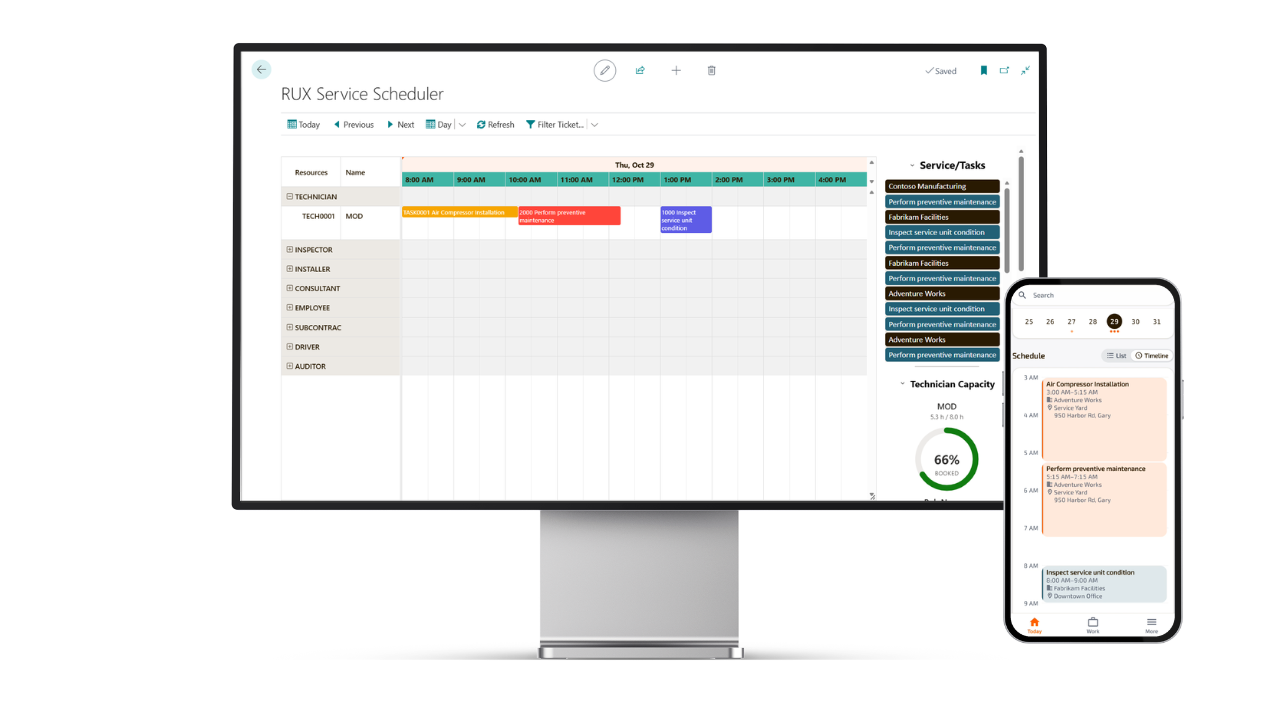
The first application on RUX Mobile is RUX Service, designed to give field technicians access to their daily schedules, assigned tasks, job details, time tracking, materials and labor, digital checklists, notes, photos, and customer signatures.
Every mobile update flows back into RUX Service inside your Business Central system, connecting your technician's work with scheduling, dispatch, planned maintenance, warranty, returns, procurement, and invoicing. It’s a practical example of what the RUX Mobile platform makes possible: bringing the right tools to the people doing the work while keeping the entire operation connected.
As more RUX applications join the platform, managers will be able to extend mobile access across more areas of your business through the same familiar app.
Your business is always on the move, so your software should move with it. Contact our team or your Business Central partner to discover how RUX Mobile will make your work more accessible in the field today.



Ready to take control of your operations?
RUX engineered oil and gas field service software to fit your operation—no patches, no guesswork. Business Applications built and configured for the oilfield service industry, our software solutions give you clarity and control to move forward with confidence.