Feature Friday Episode 1: Interactive AR Aging with RUX Financial Dashboard
.jpg)

Accounts receivable reporting should not slow down collections
Accounts receivable teams depend on accurate aging information to manage customer balances, prioritize collections activity, and maintain healthy cash flow. Unfortunately, traditional aging reports often create more work than they solve. Static reports can be difficult to navigate, require multiple exports, and make it challenging to investigate the transactions driving customer balances.
When teams spend time sorting through spreadsheets and running additional reports, they have less time to focus on collections and customer communication.
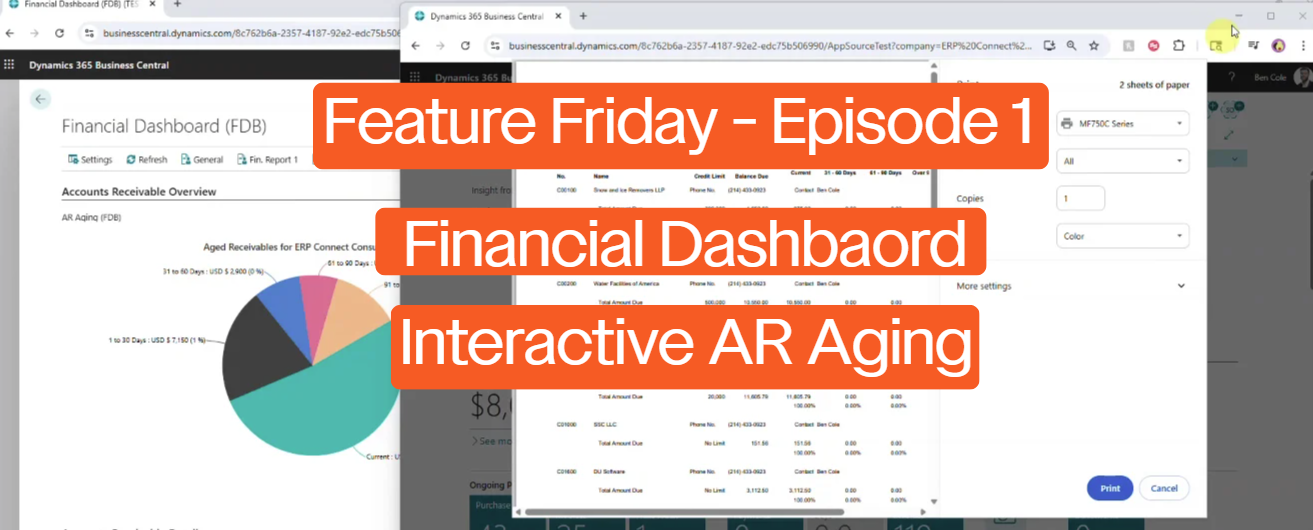
Feature Friday Episode 1 demonstrates how the Interactive AR Aging view within RUX Financial Dashboard transforms traditional accounts receivable reporting into a dynamic workspace that allows users to analyze, sort, and act on customer aging data directly inside Microsoft Dynamics 365 Business Central.
The challenges of traditional AR aging reports
Aging reports are one of the most important tools used by accounting and collections teams, but many reporting processes remain static and difficult to explore.
When users identify overdue balances, they often need to switch between multiple screens, run additional reports, or manually locate supporting transactions before they can take action. These extra steps increase administrative effort and slow down collections processes.
As customer volumes grow, organizations need faster ways to understand outstanding balances and focus on the accounts that require attention.
Key benefits
- Improve visibility into customer aging
- Reduce time spent navigating reports
- Analyze overdue balances faster
- Simplify collections activities
- Improve cash flow visibility
Introducing interactive AR aging
RUX Financial Dashboard includes an interactive accounts receivable aging view designed to make aging data easier to analyze and manage.
As demonstrated in this episode, users can view aging information in a centralized workspace and quickly explore customer balances using interactive drill-down functionality. Rather than reviewing static reports, teams can click directly into aging buckets and immediately access supporting information.
This creates a more efficient process for reviewing receivables while helping teams focus on collection priorities.
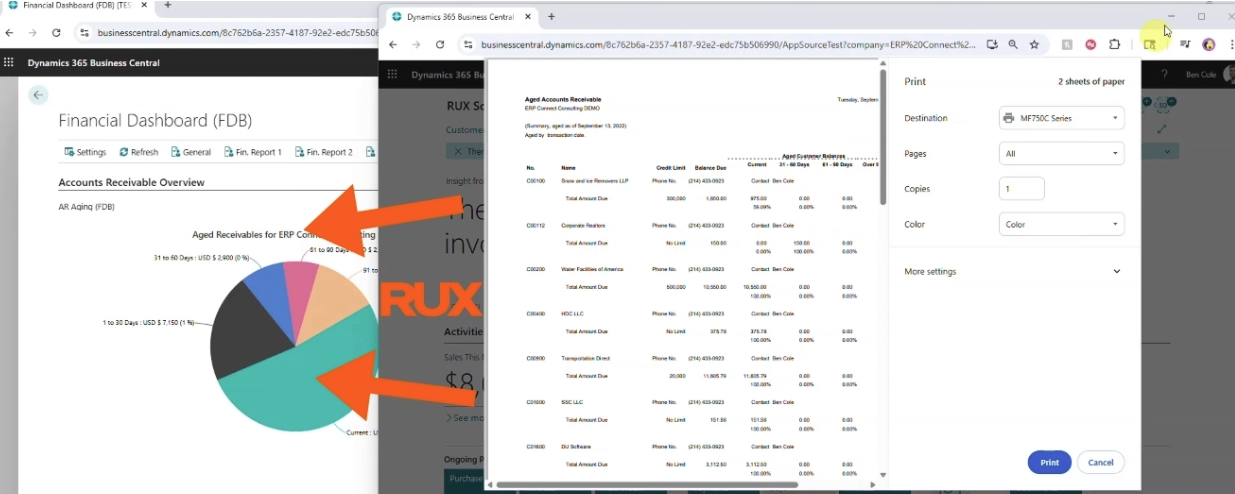
Key benefits
- View aging data in one location
- Drill into aging buckets instantly
- Reduce report navigation
- Improve access to supporting details
- Accelerate collections workflows
Analyze customer balances with a single click
Many aging reviews begin with a simple question: which customers require attention first?
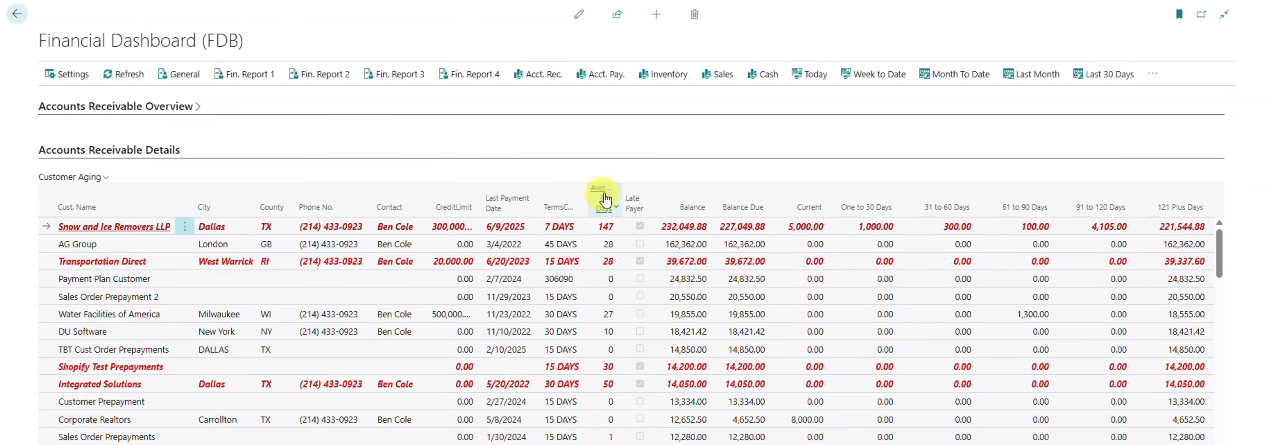
The Interactive AR Aging view allows users to quickly sort customer balances and identify overdue accounts. Teams can sort balances from highest to lowest, prioritize collection efforts, and drill directly into the transactions contributing to outstanding amounts.
This helps accounting and collections teams move from reporting to action without requiring multiple reports or manual research.
Gain deeper insight into customer payment behavior
Understanding aging balances is important, but understanding payment trends can provide even greater value.
As highlighted in this episode, the solution calculates days sales outstanding at the customer level. This gives users additional visibility into payment performance and helps teams better understand collection trends across their customer base.
By combining aging information and payment metrics in a single view, organizations can make more informed decisions about collections activities and customer account management.
Key benefits
- Monitor customer payment performance
- Review days sales outstanding by customer
- Improve collection prioritization
- Support better cash flow analysis
- Increase visibility into receivables
Apply payments directly from the aging view
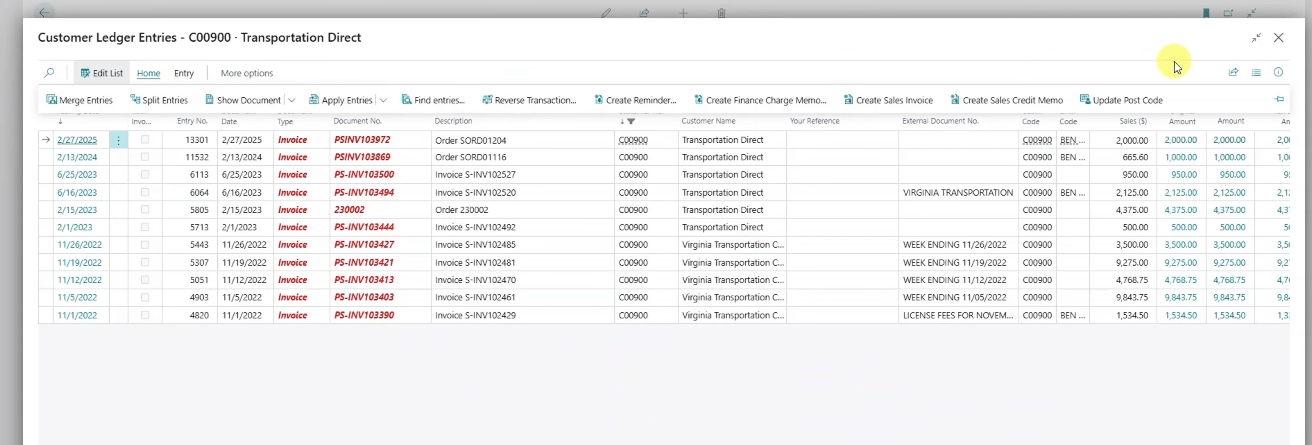
One of the most powerful capabilities demonstrated in this episode is the ability to work directly with customer ledger entries from the aging screen.
Users can drill into customer ledger entries and apply open payments directly to invoices without navigating through additional screens. This reduces unnecessary steps and helps accounting teams resolve outstanding balances more efficiently.
By placing aging analysis and transaction management within the same workflow, organizations can improve productivity while reducing administrative effort.
Greater visibility for growing organizations
As businesses grow, receivables management becomes increasingly important. Accounting teams need fast access to customer aging information, payment history, and transaction details without spending time navigating multiple reports.
RUX Financial Dashboard helps organizations improve accounts receivable visibility by transforming static aging reports into an interactive workspace that supports analysis, collections, and customer account management directly within Microsoft Dynamics 365 Business Central.
By combining actionable aging data, drill-down capabilities, customer payment metrics, and direct access to customer ledger entries, organizations can improve efficiency and make more informed collections decisions.
Watch Feature Friday Episode 1
Watch the full Feature Friday episode to see how RUX Financial Dashboard helps users analyze aging balances, drill into customer transactions, review payment performance, and manage accounts receivable activity more efficiently within Business Central.
Ready to improve accounts receivable visibility in Microsoft Dynamics 365 Business Central? Download a FREE 30-day trial of RUX Financial Dashboard from Microsoft AppSource today and discover a more interactive way to manage customer aging and collections activity.



Ready to take control of your operations?
RUX engineered oil and gas field service software to fit your operation—no patches, no guesswork. Business Applications built and configured for the oilfield service industry, our software solutions give you clarity and control to move forward with confidence.