Feature Friday Episode 6: Advanced CRM
.svg)

Managing Leads Across Multiple Systems Creates Challenges
Many organizations struggle to manage their sales process when lead tracking, emails, follow-up tasks, opportunities, and customer creation are spread across multiple systems.
Sales teams often find themselves manually updating records, tracking notes in separate locations, and moving prospect information between applications. These disconnected processes can create inefficiencies, reduce visibility, and make it more difficult to maintain consistent follow-up.
When information is spread across multiple applications, sales teams often spend more time managing systems than building relationships. Constantly switching between tools creates inefficiencies, increases administrative effort, and makes it difficult to maintain complete visibility throughout the sales process.
Some of the most common challenges include:
- Tracking leads through multiple stages
- Managing follow-up activities consistently
- Keeping email communication tied to customer records
- Monitoring sales pipeline progress
- Converting leads into customers efficiently
- Maintaining visibility into customer interactions
In this Feature Friday Episode 6 video, Ben Cole, Strategic Sales Executive at RUX Software, provides an overview of the Advanced CRM solution and demonstrates how organizations can manage the entire sales process directly within Microsoft Dynamics 365 Business Central.
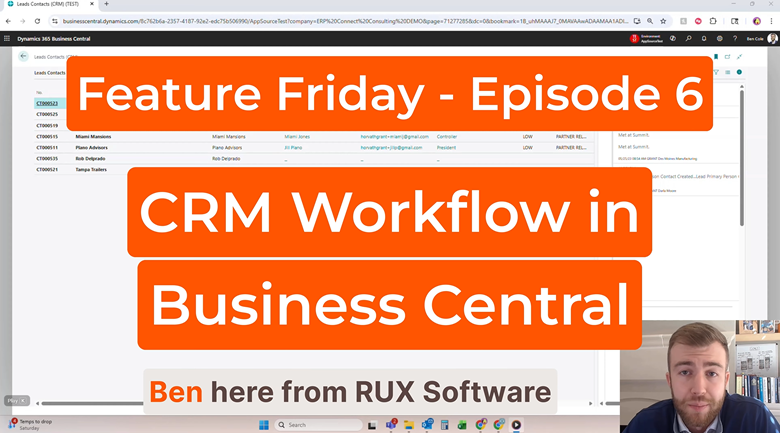
Why CRM Workflow Matters
Successful sales processes depend on consistent communication, timely follow-ups, and clear visibility into prospect activity.
Without a structured workflow, opportunities can be missed, follow-up tasks can be delayed, and important customer information may become difficult to locate. Sales representatives often find themselves switching between systems, searching for notes, and manually updating records rather than focusing on customer interactions. These inefficiencies slow down the sales cycle and make it harder to consistently engage with prospects.
A CRM solution that keeps sales data, activities, and customer records connected helps organizations create a more streamlined and organized sales process.
The easier it is to manage the sales lifecycle, the easier it becomes to move prospects from lead to customer.
A Complete CRM Workflow Inside Business Central
With Advanced CRM for Microsoft Dynamics 365 Business Central, users can manage every stage of the sales process without leaving Business Central.
As demonstrated in the video, users can create leads, manage activities, send emails, schedule tasks, track opportunities, and convert prospects into customers through a centralized workflow.
Lead Management
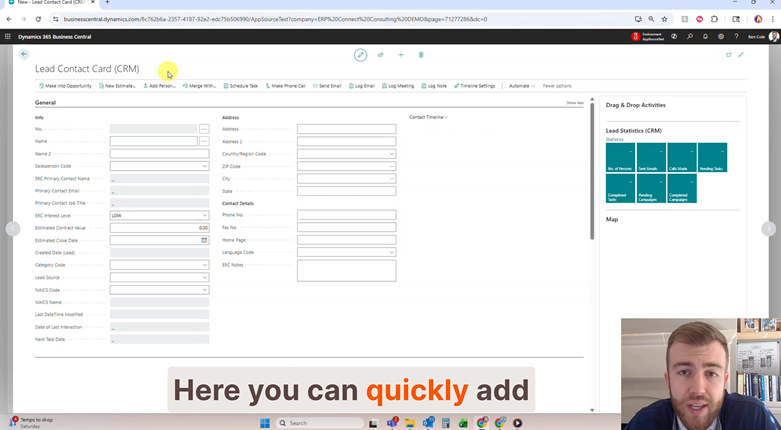
Users can quickly create and manage new leads by capturing information such as:
- Company name
- Salesperson assignment
- Primary contact
- Interest level
- Estimated contract value
- Estimated close date
- Lead source
- Category codes
Organizations can also customize CRM fields to support their unique business processes.
Profile Questionnaires and Checklists
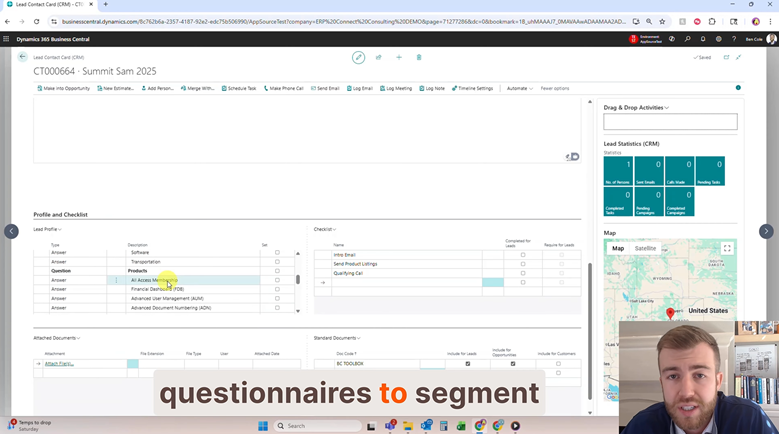
Advanced CRM leverages standard Business Central profile questionnaires to provide more detailed lead segmentation.
Users can also create configurable checklists that guide sales teams through qualification processes before a lead becomes an opportunity.
This helps ensure important steps are completed consistently across the sales team.
Email and Task Management
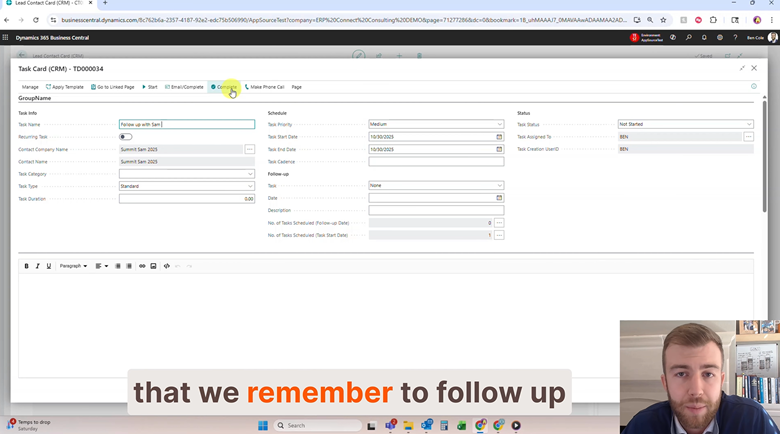
Sales teams can communicate directly from Business Central using CRM email templates.
Users can:
- Send emails directly from lead records
- Schedule follow-up tasks
- Track activities within CRM records
- Maintain visibility into customer communications
Because tasks and emails are linked directly to CRM records, teams can quickly review previous interactions and upcoming activities.
Seamlessly Move Leads to Opportunities
As prospects progress through the sales process, Advanced CRM supports a structured workflow for converting leads into opportunities.
Many organizations lose momentum during the transition from lead qualification to opportunity management. Information can become fragmented, important conversations may be overlooked, and sales teams are often forced to recreate context as prospects move through the pipeline. A structured workflow helps ensure every interaction, activity, and qualification step remains connected throughout the sales journey.
When qualification requirements and checklist items have been completed, users can convert leads into opportunities while maintaining visibility into historical activities and interactions.
Activity Timeline Tracking
Advanced CRM provides a chronological timeline of important activities, including:
- Emails
- Tasks
- Contact updates
- Opportunity changes
This creates a centralized history of interactions that helps sales teams stay informed throughout the sales cycle.
Opportunity Management
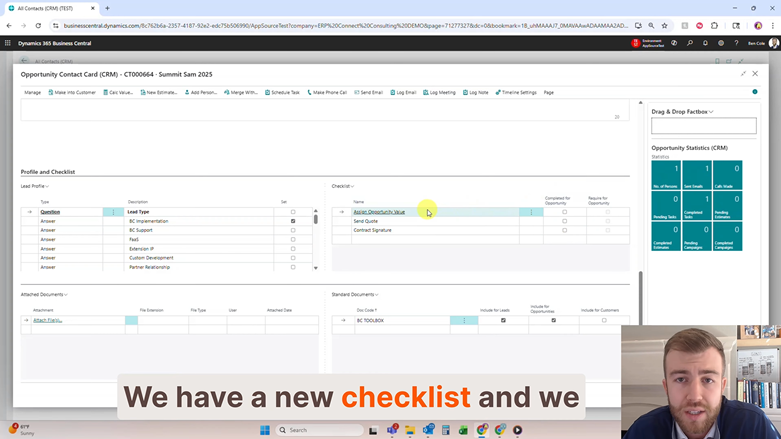
Once a lead becomes an opportunity, users gain access to a new set of workflow processes designed to move prospects closer to becoming customers.
Additional checklists can be configured to support opportunity management and ensure required steps are completed before customer creation.
Convert Opportunities into Customers
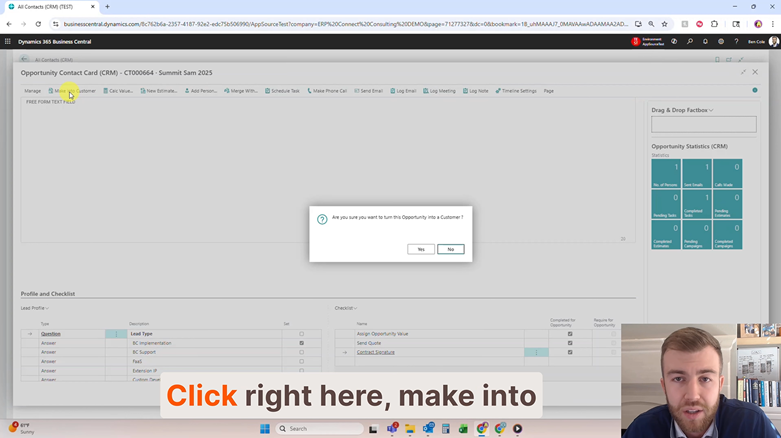
One of the biggest advantages of Advanced CRM is the ability to complete the entire sales workflow inside Business Central.
When an opportunity is ready to move forward, users can:
- Convert opportunities into customers
- Apply customer templates
- Create customer records automatically
- Maintain historical CRM activity
The result is a complete lead-to-customer process without switching between multiple systems. By keeping activities, communications, opportunities, and customer creation connected, sales teams can reduce administrative effort, maintain better visibility, and create a smoother experience for both employees and customers.
Built for Real-World Sales Teams
Sales organizations need tools that help maintain consistency without introducing unnecessary complexity.
Advanced CRM helps organizations:
- Manage leads more effectively
- Improve follow-up consistency
- Centralize customer interactions
- Increase visibility into sales activities
- Simplify lead qualification
- Track opportunities more efficiently
- Create a structured path from lead to customer
By providing a complete CRM workflow inside Microsoft Dynamics 365 Business Central, organizations can improve sales process visibility while reducing administrative effort.
Ready to streamline your entire lead-to-customer process inside Business Central? Download a FREE 30-day trial of Advanced CRM in Microsoft Marketplace today.
Watch the Full Feature Friday Episode
In Episode 6, Ben also walks through:
- Creating new leads
- Assigning salespeople and contacts
- Using profile questionnaires
- Managing lead checklists
- Sending CRM emails
- Scheduling follow-up activities
- Converting leads into opportunities
- Tracking interactions through activity timelines
- Creating customers from opportunities
If your organization is looking for a more streamlined way to manage leads, opportunities, and customer creation inside Business Central, this episode demonstrates how Advanced CRM helps bring the entire sales workflow together in one system.
If this sounds helpful, explore more Business Central productivity tips on the RUX Software YouTube Channel and subscribe so you never miss a Feature Friday episode.




Ready to take control of your operations?
RUX engineered oil and gas field service software to fit your operation—no patches, no guesswork. Business Applications built and configured for the oilfield service industry, our software solutions give you clarity and control to move forward with confidence.