Feature Friday Episode 20: Order-Level Flexibility with RUX Advanced Prepayments
.svg)

Customer orders don't always stay the same.
Business requirements can change after a sales order has been created. Customers may adjust quantities, add additional items, remove products, or modify project requirements before fulfillment occurs.
While Microsoft Dynamics 365 Business Central includes prepayment functionality, organizations often encounter limitations once a prepayment invoice has been issued. In many cases, the sales order becomes restricted, making it difficult to update order details without reversing and recreating existing prepayment transactions.
Feature Friday Episode 20 demonstrates how RUX Advanced Prepayments gives organizations greater order-level flexibility by allowing users to continue managing sales orders after prepayments have been created. This helps businesses adapt to changing customer requirements while maintaining accurate financial records.
The challenges of managing order changes after prepayments.
Collecting customer deposits is an important part of many business processes, but it can also create challenges when customer requirements change.
In traditional workflows, once a prepayment invoice has been created, making changes to the order often requires users to void existing prepayments, update the sales order, and then recreate the necessary prepayment invoices. While manageable for occasional transactions, this process can become increasingly time-consuming as order volumes grow.
These limitations can slow down operations, create additional accounting work, and reduce flexibility when responding to customer requests.
Key Benefits
- Reduce unnecessary transaction rework
- Simplify order management
- Improve operational flexibility
- Support changing customer requirements
- Maintain accurate accounting records
More flexibility throughout the sales process.
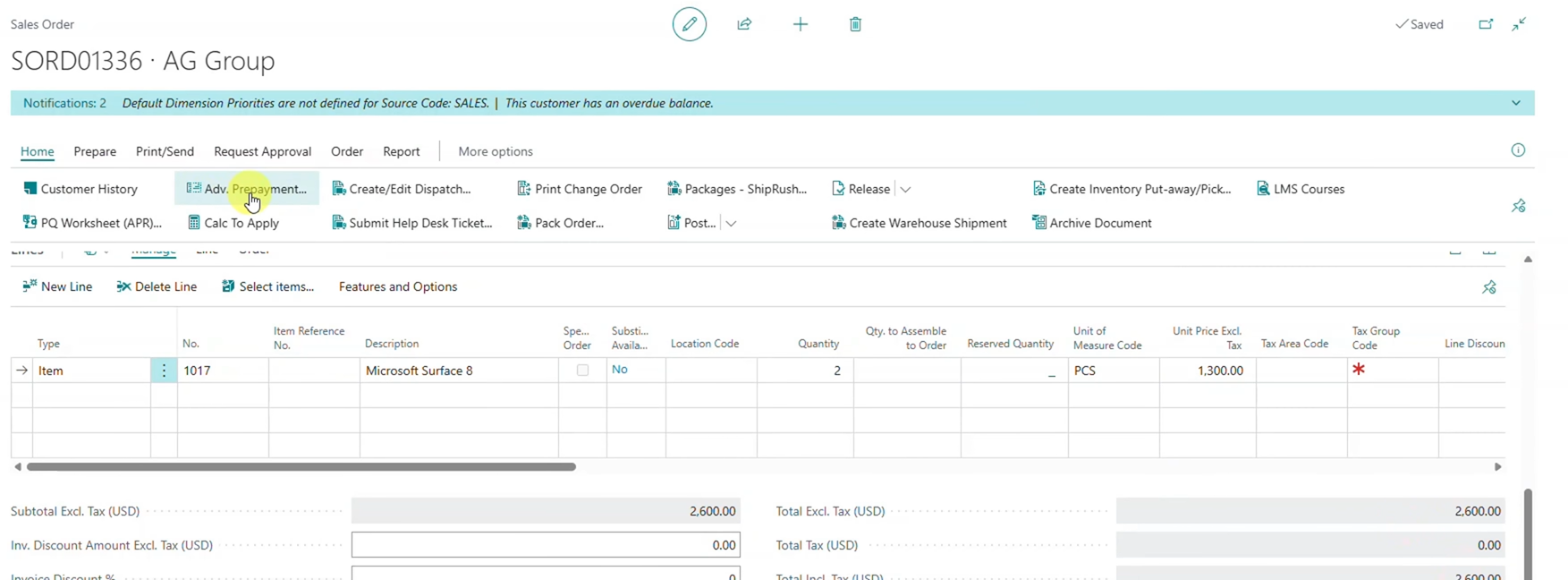
RUX Advanced Prepayments was designed to help organizations move beyond the restrictions of traditional prepayment processes.
As explained in this episode, the application provides three major capabilities:
- Multiple prepayments on a single sales order
- Customer-level prepayments that can be applied across multiple invoices
- The ability to modify sales orders after prepayments have been issued
Together, these capabilities help organizations manage customer deposits more effectively while maintaining flexibility throughout the entire order lifecycle.
Key Benefits
- Support multiple prepayment scenarios
- Improve payment flexibility
- Reduce manual processes
- Simplify customer deposit management
- Better align with real-world business operations
Continue managing orders after deposits are collected.
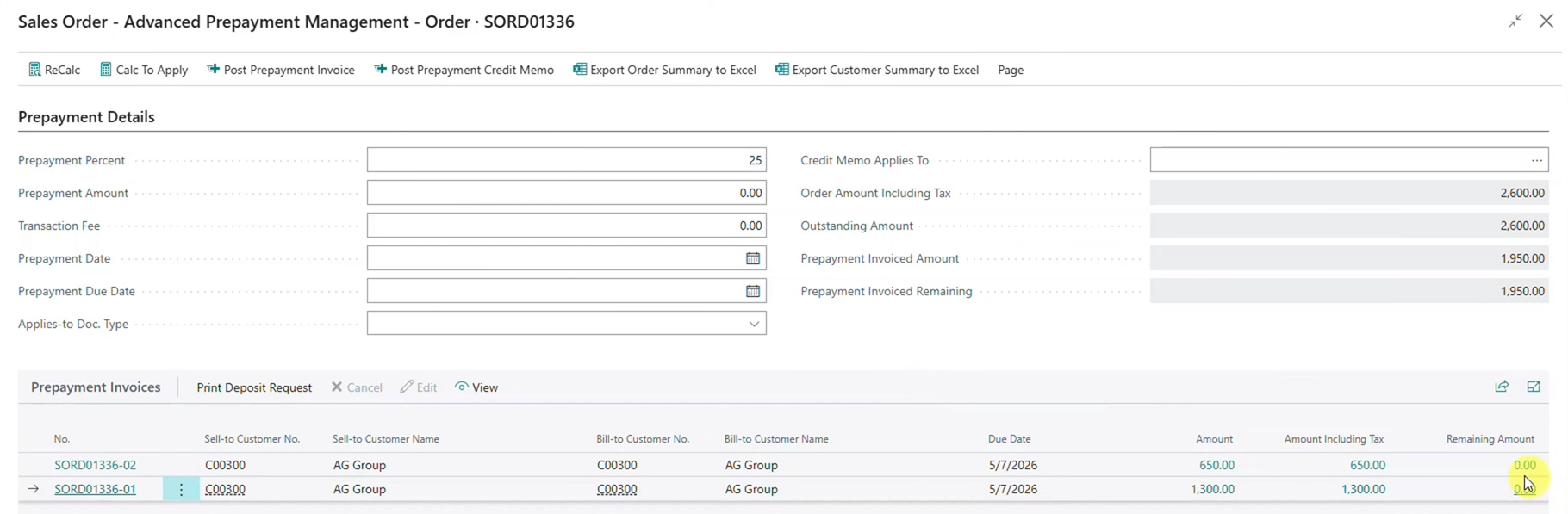
The primary focus of this episode is the ability to modify sales orders after prepayments have already been created.
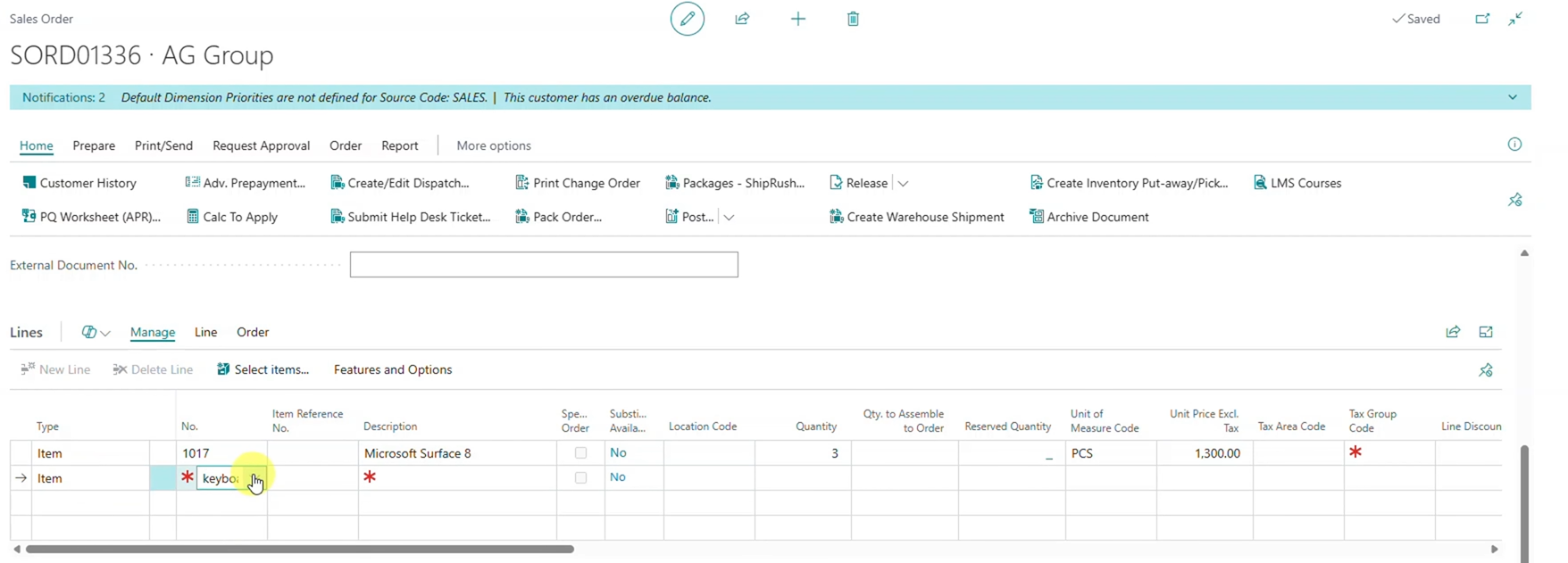
Business requirements rarely remain static. Additional products may need to be added, quantities may need to be adjusted, or customer requests may change before an order is finalized. When sales orders become locked after a prepayment is issued, these routine changes can quickly create unnecessary administrative work.
With RUX Advanced Prepayments, users can continue updating sales orders without reversing previously issued prepayment transactions. This creates a more efficient process while helping organizations maintain accurate tracking of customer deposits.
Whether adding items, adjusting quantities, or removing lines entirely, users can make the necessary updates while preserving the integrity of existing prepayment activity.
Automatically apply deposits during final invoicing.
After customer deposits have been collected and order changes have been completed, organizations need confidence that prepayments will be applied correctly when the final invoice is generated.
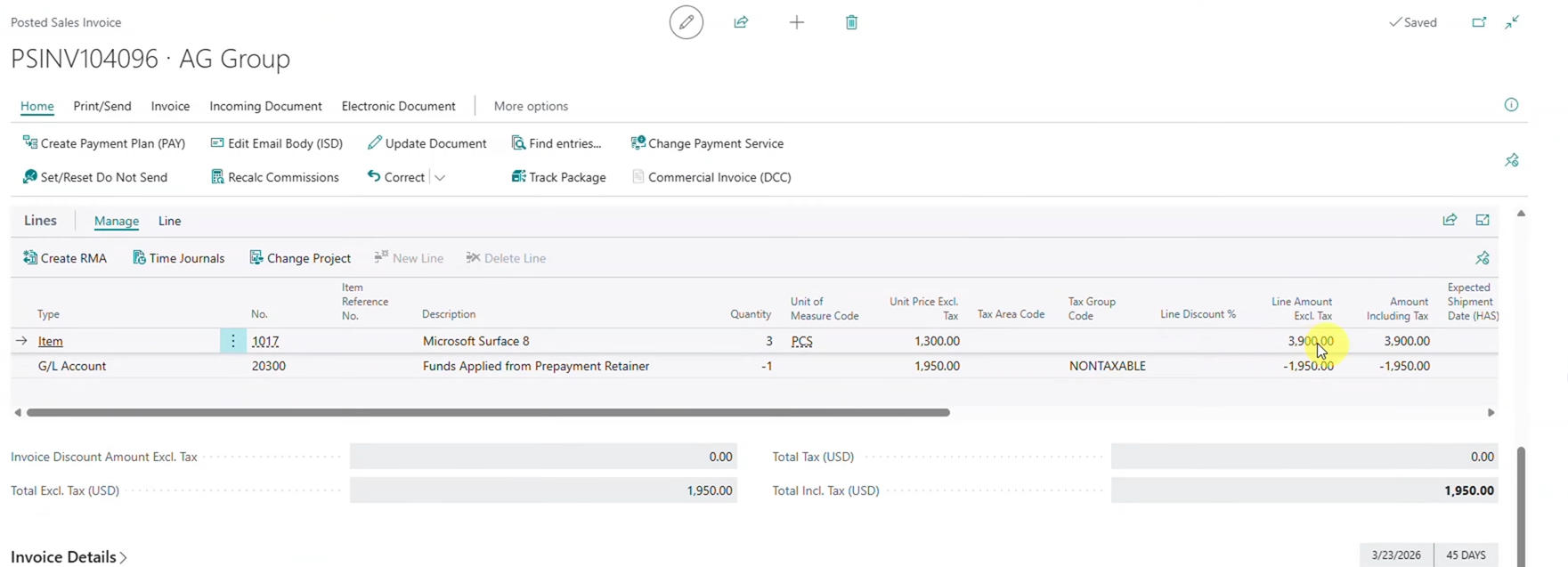
The demonstration records payment for multiple prepayment invoices before returning to the sales order. The system tracks available prepayment funds and automatically applies them when the final invoice is posted.
This helps reduce manual calculations, improves invoice accuracy, and provides visibility into how customer deposits contribute toward the final balance due.
As order complexity increases, automated prepayment management can help organizations improve financial accuracy while reducing administrative effort.
Managing overpayments with greater confidence.
Customer orders do not always increase in value. In some situations, changes made after prepayments are collected can reduce the final order total.
This can create challenges if the customer has already paid more than is ultimately required.
As highlighted in this episode, RUX Advanced Prepayments automatically generates a credit memo when prepaid funds exceed the final order value. Rather than requiring manual calculations and adjustments, organizations can manage overpayments more efficiently while maintaining accurate customer records.
Key Benefits
- Automatically manage overpayments
- Create credit memos when needed
- Improve financial accuracy
- Reduce manual corrections
- Maintain customer account visibility
Greater flexibility for growing organizations.
As businesses grow, customer payment requirements often become more complex. Orders change, projects evolve, and customers expect flexibility throughout the purchasing process.
RUX Advanced Prepayments helps organizations manage these realities by providing greater flexibility, improved visibility, and stronger financial controls directly within Microsoft Dynamics 365 Business Central.
By allowing sales orders to remain flexible after prepayments have been issued, businesses can reduce administrative effort, improve accounting accuracy, and create a more efficient experience for both employees and customers.
Watch the full Feature Friday episode to see how RUX Advanced Prepayments allows organizations to modify sales orders after prepayments have been issued, manage multiple customer deposit scenarios, and streamline prepayment processing within Business Central.
Ready to simplify prepayment management in Microsoft Dynamics 365 Business Central? Download a FREE 30-day trial of RUX Advanced Prepayments from Microsoft AppSource today and discover a more flexible way to manage customer deposits, order changes, and prepayments.




Ready to take control of your operations?
RUX engineered oil and gas field service software to fit your operation—no patches, no guesswork. Business Applications built and configured for the oilfield service industry, our software solutions give you clarity and control to move forward with confidence.