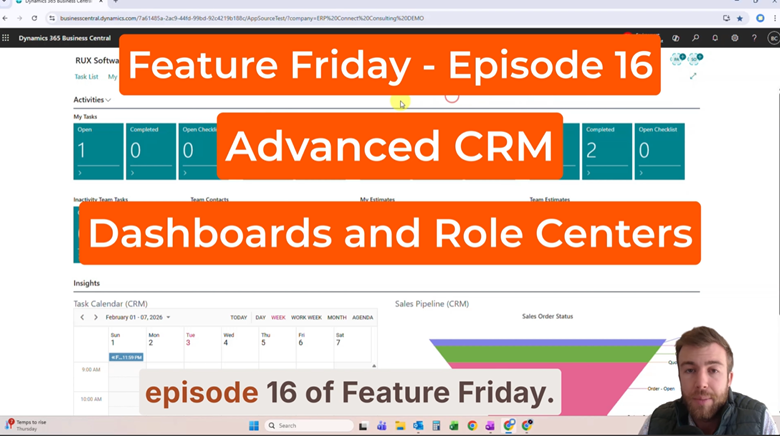
Feature Friday Episode 16: Advanced CRM Dashboards and Role Centers
.svg)

Managing Sales Activity Without Visibility Creates Challenges
Managing sales activity becomes increasingly difficult when information is spread across multiple screens, reports, and dashboards.
Sales managers need visibility into pipelines, open opportunities, team performance, and outstanding tasks. At the same time, sales representatives need quick access to their own contacts, activities, and opportunities.
Without a centralized workspace, users often spend valuable time navigating between pages rather than focusing on customers and revenue-generating activities.
Small visibility gaps can quickly become larger business problems. Missed follow-ups, overdue activities, and stalled opportunities are often difficult to identify when information is spread across multiple pages. As a result, sales teams may spend more time searching for answers and less time engaging with customers and moving opportunities forward.
Some of the most common challenges include:
- Monitoring team performance across multiple salespeople
- Tracking overdue tasks and activities
- Reviewing sales pipeline health
- Managing open opportunities
- Locating important CRM information quickly
In this Feature Friday Episode, Ben Cole, Strategic Sales Executive at RUX Software, demonstrates how Advanced CRM Dashboards and Role Centers provide greater visibility into sales activities while helping managers and representatives stay organized and productive.
Why CRM Dashboards Matter
Sales teams generate a significant amount of activity each day.
Tasks are created, opportunities move through pipelines, customer interactions occur, and sales goals are continuously tracked. Without a centralized dashboard, it can become difficult to understand what requires attention and where potential issues may exist.
When this information is difficult to access, sales teams often rely on spreadsheets, emails, or conversations to gather updates. This creates delays, increases the risk of miscommunication, and makes it harder to identify issues before they impact customer relationships or sales performance.
Managers often need quick answers to questions such as:
- Which opportunities are nearing close?
- Which tasks are overdue?
- Who is meeting quota?
- Which customers have not been contacted recently?
Having this information readily available helps teams respond faster and focus on the activities that drive results.
A Centralized Approach to CRM Visibility
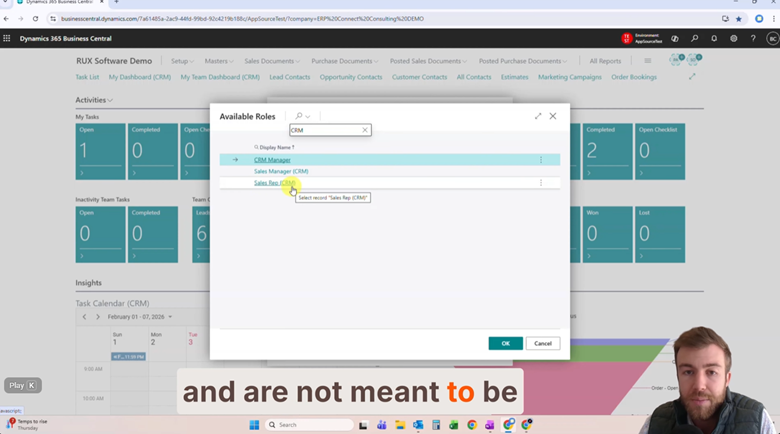
With Advanced CRM for Microsoft Dynamics 365 Business Central, users can access role-specific dashboards designed around their responsibilities.
As shown in Episode 16, sales managers can view information across their entire team while sales representatives can focus on their individual activities and opportunities.
Sales Manager Role Centers
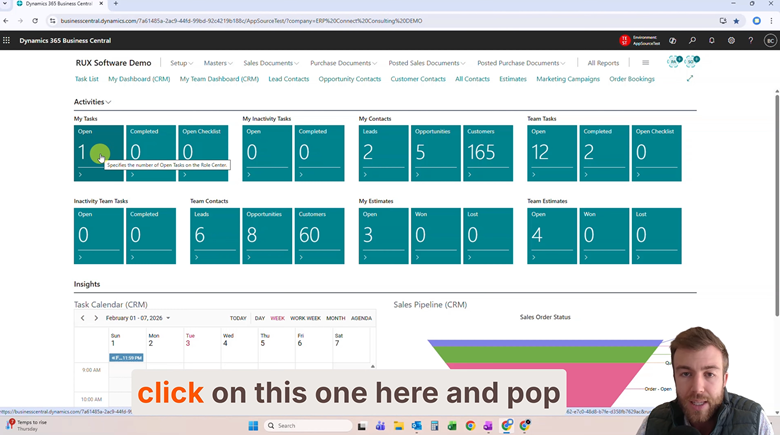
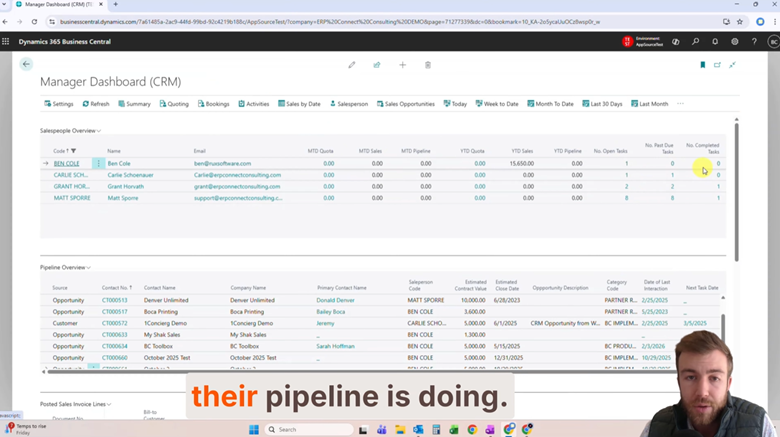
Managers gain visibility into:
- Team-wide tasks and contacts
- Open opportunities
- Pipeline activity
- Opportunity values
- Target close dates
- Team performance against quotas
- Outstanding and overdue activities
This allows managers to quickly identify opportunities requiring attention and better support their sales teams.
Sales Representative Role Centers
Individual sales representatives can access dashboards focused on:
- Personal tasks
- Customer contacts
- Open opportunities
- Daily activities
- Sales priorities
This helps users stay organized while keeping important information accessible from a single location.
Simplified Opportunity Tracking
Managing opportunities becomes much more difficult when information is scattered across reports, spreadsheets, emails, and individual conversations. Sales managers often spend valuable time tracking down updates from team members, while sales representatives struggle to remember where opportunities stand and what actions need to happen next.
The result can be delayed follow-ups, missed opportunities, and lost revenue that could have been avoided with better visibility. When opportunity details, expected close dates, customer activity, and estimated values are readily available, teams can spend less time searching for information and more time moving deals forward.
Managers can review opportunity information including:
- Estimated contract values
- Expected close dates
- Open opportunities
- Recent customer activity
Instead of searching through multiple areas of the system, users can quickly access the information needed to manage sales activity efficiently.
Built for Real-World Sales Organizations
Successful CRM systems must be easy for teams to use consistently.
Advanced CRM Dashboards and Role Centers help organizations:
- Improve visibility into sales activities
- Monitor pipeline health
- Track team performance
- Identify overdue tasks
- Simplify opportunity management
- Reduce time spent searching for information
- Create a more organized sales process
By giving users access to the information most relevant to their role, organizations can improve productivity while maintaining greater visibility across the entire sales operation.
Ready to gain better visibility into your sales pipeline and team performance? Download a FREE 30-day trial of Advanced CRM in Microsoft Marketplace today.
Watch the Full Feature Friday Episode
In the full Episode 16 video, Ben also walks through:
- Switching between manager and sales representative role centers
- Viewing team tasks and contacts
- Monitoring overdue activities
- Reviewing sales funnels and pipelines
- Accessing pre-saved bookmarks and favorites
- Analyzing team performance metrics
- Tracking opportunities and estimated contract values
If your team struggles to keep track of sales activities, opportunities, and performance metrics across multiple screens, this episode demonstrates how Advanced CRM Dashboards and Role Centers can simplify daily CRM management while improving visibility.
If this sounds helpful, explore more Business Central productivity tips on the RUX Software YouTube Channel and subscribe so you never miss a Feature Friday episode.




Ready to take control of your operations?
RUX engineered oil and gas field service software to fit your operation—no patches, no guesswork. Business Applications built and configured for the oilfield service industry, our software solutions give you clarity and control to move forward with confidence.