Feature Friday Episode 15: CRM Task Management
.svg)

Keeping Follow-Up Activities Organized Can Be Difficult
Sales teams rely on consistent follow-up to move leads, opportunities, and customers through the sales process. However, without a centralized task management system, important activities can easily be overlooked.
Many organizations struggle to keep track of overdue tasks, follow-up reminders, and ownership responsibilities across multiple records and salespeople.
When tasks are disconnected from customer records, visibility decreases and opportunities can fall through the cracks. Sales teams may spend weeks building relationships with prospects, only to lose momentum because a critical follow-up was forgotten or delayed. Missing a single activity at the wrong time can mean losing a deal that was close to the finish line, resulting in lost revenue and unnecessary frustration.
Some of the most common challenges include:
- Tracking follow-up activities consistently
- Monitoring overdue tasks
- Managing tasks across leads, opportunities, and customers
- Assigning responsibilities to team members
- Maintaining visibility into open activities
- Keeping sales teams accountable
In this Feature Friday Episode 15 video, Ben Cole, Strategic Sales Executive at RUX Software, demonstrates how CRM Task Management helps organizations organize activities, improve follow-up consistency, and maintain better visibility into sales workflows directly inside Microsoft Dynamics 365 Business Central.
Why Task Management Matters
Sales success often comes down to timely follow-up.
Whether it's calling a prospect back, sending additional information, scheduling a meeting, or checking in on an open opportunity, every task plays an important role in moving deals forward.
Without structured task management, teams can struggle to prioritize activities, keep track of deadlines, and ensure important follow-ups are completed. What starts as a few missed tasks can quickly become a larger problem as overdue activities accumulate, customer expectations are missed, and opportunities become harder to recover.
A centralized task management process helps sales teams stay organized and focused on the activities that drive results.
Task Management Built Into Business Central
With Advanced CRM for Microsoft Dynamics 365 Business Central, users can create, manage, and track tasks directly from CRM records.
As shown in the video, users can access task lists, view outstanding activities, schedule new tasks, and monitor follow-up responsibilities all within Business Central.
Centralized Task Lists
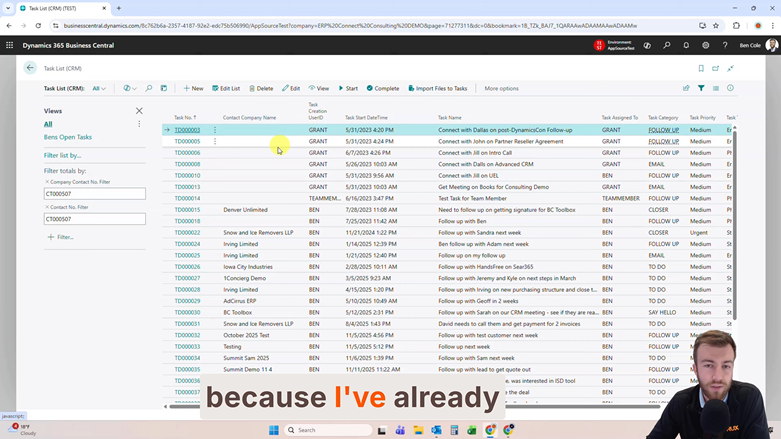
Users can quickly view task lists that display:
- Open tasks
- Overdue activities
- Upcoming follow-ups
- Assigned responsibilities
- Task due dates
When salespeople can easily see upcoming and overdue activities in one place, they spend less time figuring out what to do next and more time engaging with customers. Clear visibility into tasks helps teams stay focused, maintain consistency, and avoid delays that could affect customer relationships or future revenue.
This creates a simple way to prioritize daily work and stay on top of important follow-ups.
Creating Tasks Directly from CRM Records
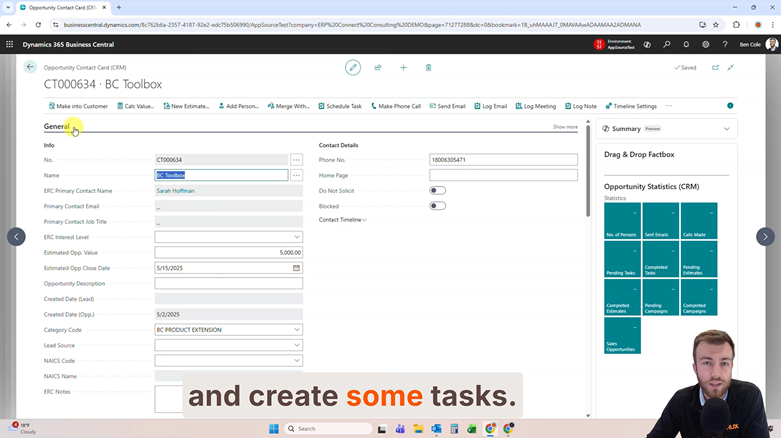
Tasks can be created directly from:
- Leads
- Opportunities
- Customer contacts
This ensures that activities remain connected to the appropriate CRM record and can be reviewed alongside related customer information.
Users can define:
- Task descriptions
- Categories
- Due dates
- Estimated completion time
- Task ownership
Because tasks remain tied to CRM records, important context is never lost.
Improved Visibility Through Fact Boxes
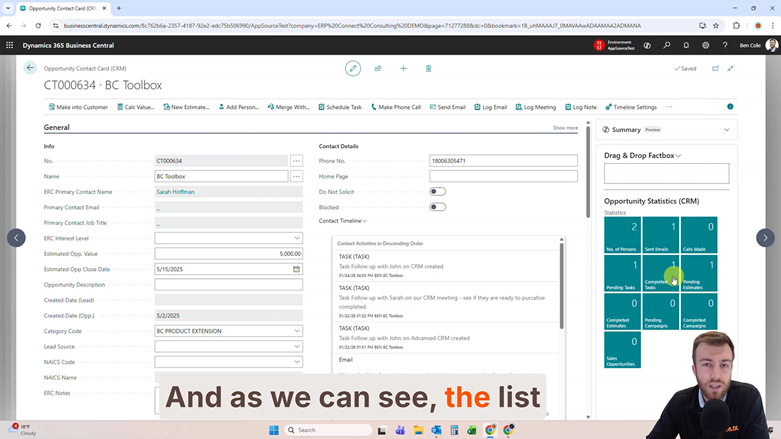
Advanced CRM provides task visibility directly on CRM cards through dedicated Fact Boxes.
Opportunity-Specific Task Tracking
Users can quickly review all activities related to a specific opportunity without leaving the CRM record.
This visibility allows team members to:
- Review open tasks
- Monitor completed activities
- Update existing tasks
- Mark tasks as complete
Having task details available directly on the CRM record simplifies activity management and improves visibility throughout the sales process. Instead of searching multiple locations for historical activities, users can quickly understand what has happened, what still needs attention, and what the next step should be. This helps maintain momentum and reduces the risk of opportunities stalling because of missed communication or incomplete follow-up.
Managing Activities Across Multiple Records
In addition to record-specific views, users can also view tasks across all leads, opportunities, and customer records.
This broader visibility helps teams identify overdue activities and prioritize work more effectively.
Task Ownership and Notifications
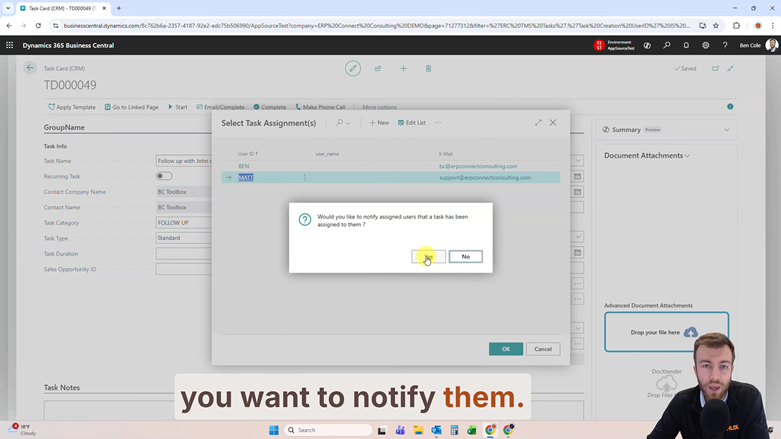
As responsibilities change throughout the sales process, tasks may need to be reassigned to different team members.
Advanced CRM supports task ownership transfers while also providing optional email notifications when assignments change.
Automatic Task Notifications
When ownership is reassigned, users can choose to notify the new owner automatically.
The notification email includes a direct link that allows recipients to quickly return to Business Central and access the assigned task.
This helps improve communication while ensuring team members remain aware of their responsibilities.
Built for Real-World Sales Workflows
Task management is a core component of maintaining consistent sales processes.
CRM Task Management helps organizations:
- Improve follow-up consistency
- Reduce missed activities
- Increase accountability
- Track overdue tasks
- Organize sales workflows
- Improve visibility into customer activities
- Keep opportunities moving forward
By centralizing activity management inside Business Central, organizations can create more structured sales processes while reducing administrative effort.
Ready to keep follow-ups organized and prevent opportunities from slipping through the cracks? Download a FREE 30-day trial of Advanced CRM in Microsoft Marketplace today.
Watch the Full Feature Friday Episode
In Episode 15, Ben also walks through:
- Viewing CRM task lists
- Creating filtered task views
- Scheduling follow-up activities
- Managing opportunity-related tasks
- Reviewing task Fact Boxes
- Tracking activities across CRM records
- Updating task ownership
- Sending task assignment notifications
If your organization is looking for a better way to manage follow-up activities and improve visibility into sales tasks, this episode demonstrates how CRM Task Management can help teams stay organized and maintain consistent customer engagement.
If this sounds helpful, explore more Business Central productivity tips on the RUX Software YouTube Channel and subscribe so you never miss a Feature Friday episode.




Ready to take control of your operations?
RUX engineered oil and gas field service software to fit your operation—no patches, no guesswork. Business Applications built and configured for the oilfield service industry, our software solutions give you clarity and control to move forward with confidence.