Feature Friday Episode 10: Multiple Prepayments on a Single Sales Order with RUX Advanced Prepayments
.svg)

Managing customer deposits shouldn't create more work.
Customer payment requirements don't always follow a simple, predictable process. A customer may provide an initial deposit when an order is placed, request additional products before fulfillment, or need to make multiple payments as a project progresses.
While Microsoft Dynamics 365 Business Central includes prepayment functionality, organizations often discover limitations when customer requirements change after a prepayment has been issued. Adjusting orders, collecting additional deposits, or accommodating evolving payment arrangements can quickly lead to additional administrative effort.
Feature Friday Episode 10 demonstrates how RUX Advanced Prepayments allows organizations to create multiple prepayments on a single sales order while maintaining the flexibility to continue managing the order throughout the sales process.
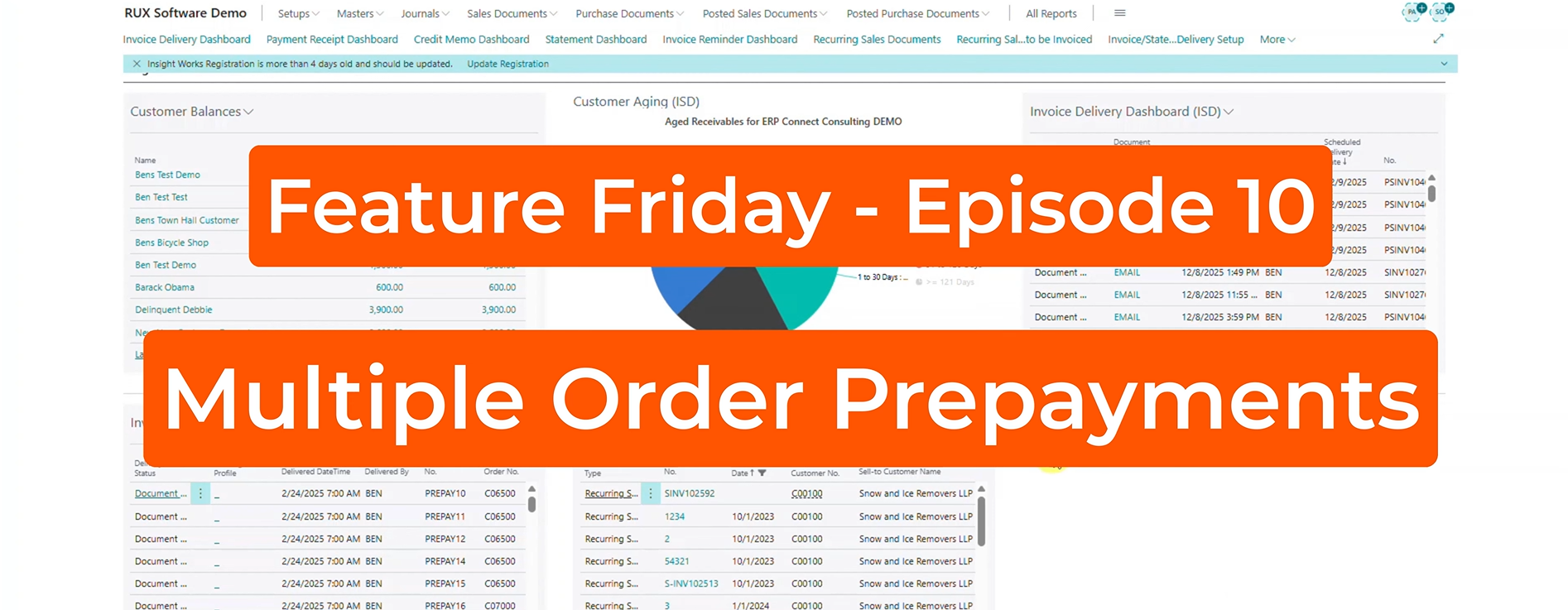
The challenges of traditional prepayment management.
Customer deposits are intended to simplify sales and accounting processes, but traditional prepayment workflows can sometimes introduce new challenges.
Many organizations require multiple deposits throughout the lifecycle of an order. A customer may pay a deposit upfront, provide an additional payment before delivery, or request changes that impact the payment structure. When prepayment processes aren't flexible enough to support these scenarios, teams often find themselves spending time reversing transactions, recreating invoices, and manually tracking payment activity.
As transaction volumes increase, these limitations can create unnecessary frustration while making it more difficult to maintain accurate financial records.
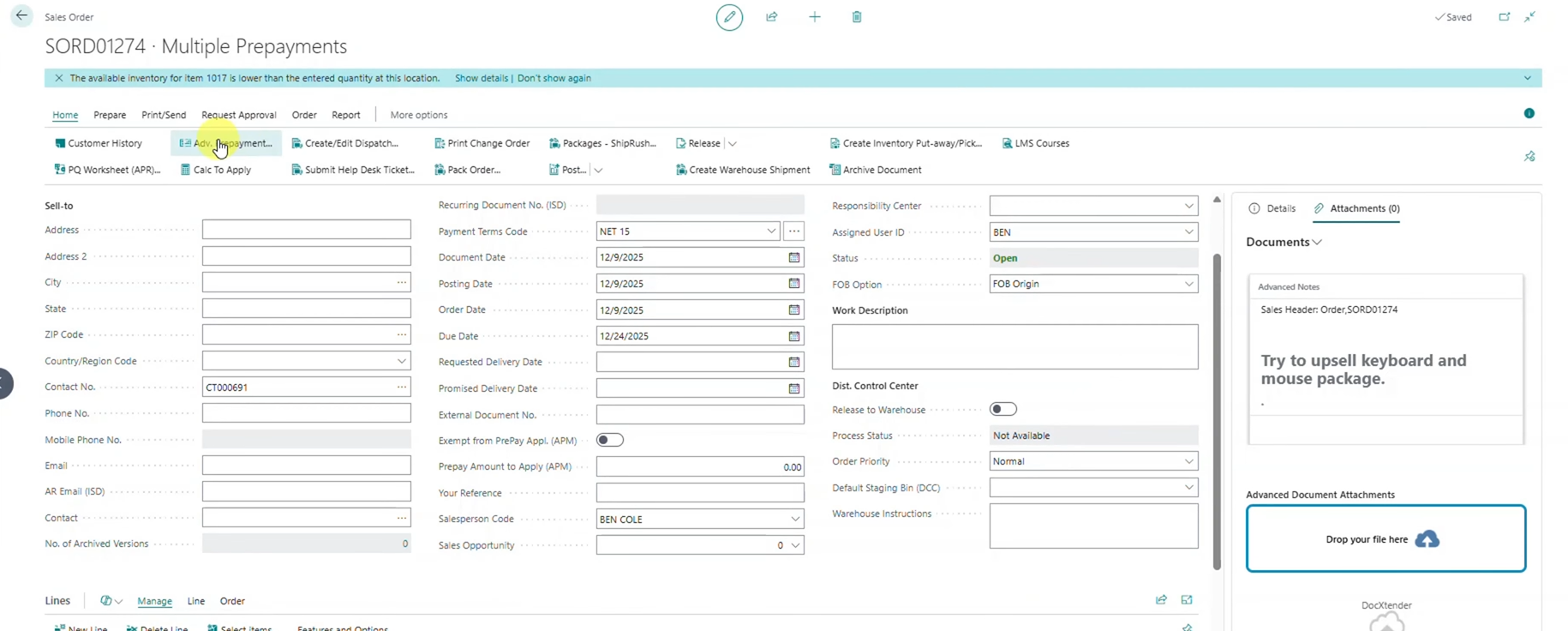
Key Benefits
- Support changing customer payment requirements
- Reduce administrative effort
- Minimize transaction rework
- Improve order management flexibility
- Maintain accurate accounting records
Creating multiple prepayments on a single order.
With RUX Advanced Prepayments, businesses are no longer restricted to a single prepayment transaction.
As demonstrated in this episode, users can create an initial prepayment and later issue additional prepayments against the same sales order. Whether deposits are based on a percentage of the order value or a fixed dollar amount, organizations gain the flexibility to align payment schedules with actual customer agreements.
This allows businesses to collect funds as needed without disrupting the sales process or recreating existing transactions.
Key Benefits
- Create multiple prepayments on a single order
- Use percentage-based deposits
- Enter fixed-dollar prepayment amounts
- Improve payment flexibility
- Better support real-world customer scenarios
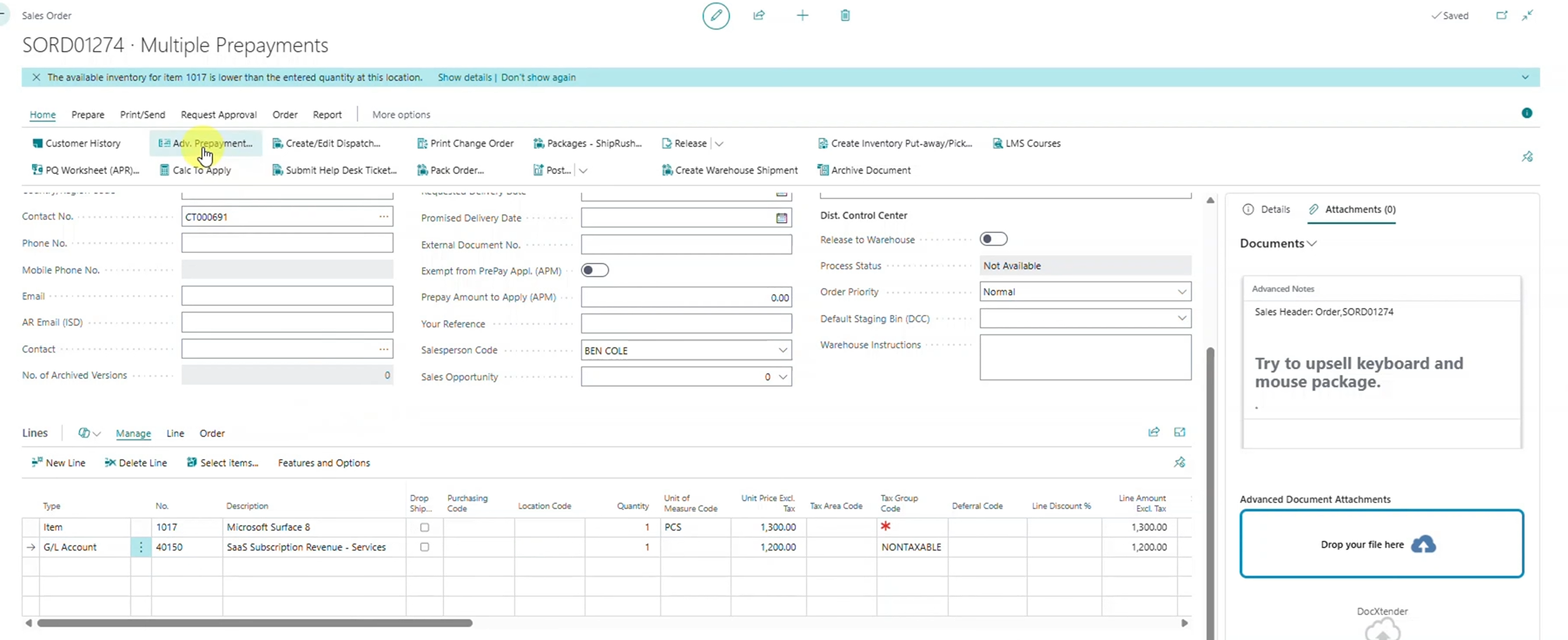
Continue managing orders after prepayments are issued.
One of the biggest limitations of traditional prepayment processes is the lack of flexibility after a deposit has been created.
In many situations, business requirements change after an order is entered. Additional items may need to be added, quantities may need to be adjusted, or customer requirements may evolve before fulfillment takes place. These changes can create challenges when prepayment transactions are tied too closely to the original order structure.
RUX Advanced Prepayments allows users to continue managing sales orders even after prepayments have been issued. Rather than voiding transactions and starting over, organizations can adapt to changing requirements while maintaining accurate prepayment tracking throughout the process.
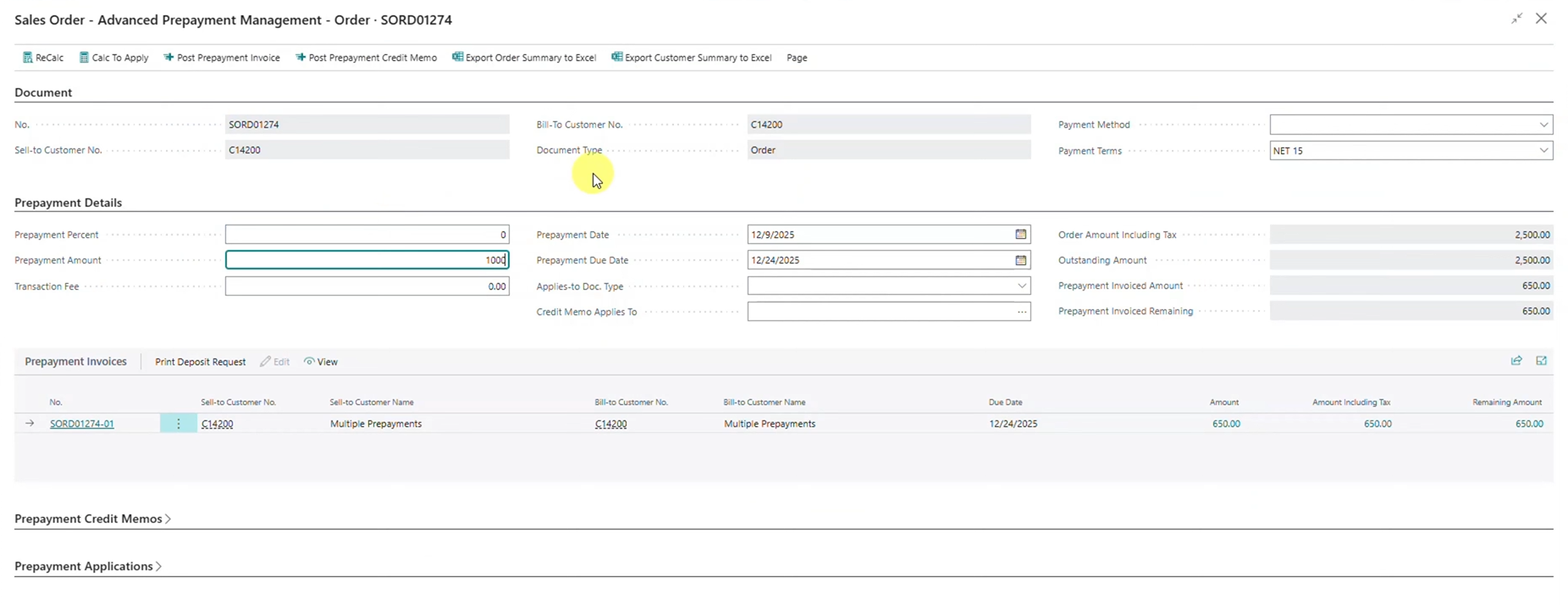
Automatically apply deposits to final Invoices.
As customer deposits are collected, organizations need confidence that those funds will be applied accurately when final invoicing occurs.
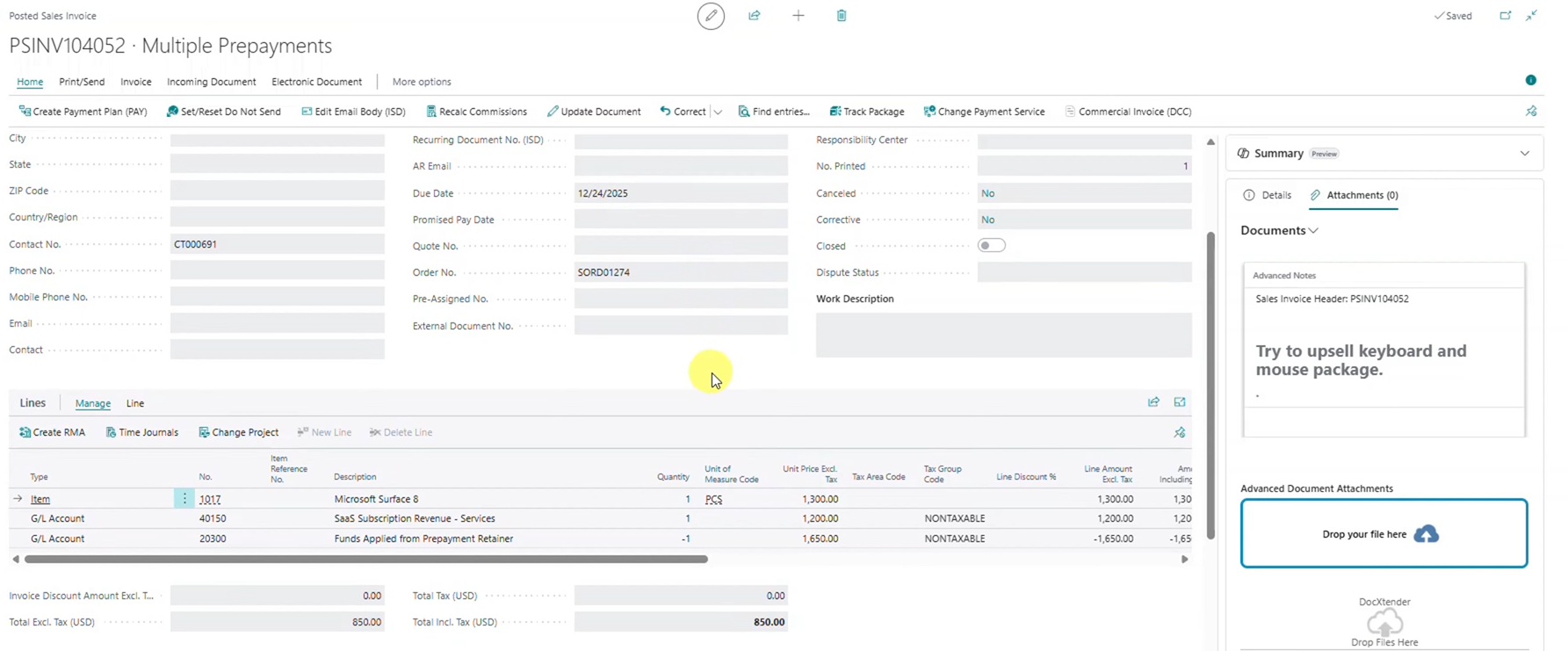
This demonstration records payment for multiple prepayment invoices and then posts the final sales invoice. The system automatically applies the collected deposits and calculates the remaining balance due. This creates a straightforward process for both accounting teams and customer-facing staff while maintaining visibility into how funds were applied.
By reducing manual calculations and simplifying invoice processing, organizations can improve billing accuracy and spend less time reconciling transactions.
Improving visibility into customer deposit activity.
As businesses process more orders and customer deposits, visibility becomes increasingly important.
Accounting teams need quick access to prepayment balances, payment history, and transaction details. When this information is difficult to locate, employees often spend valuable time researching old transactions and verifying available balances.
RUX Advanced Prepayments provides greater visibility into customer deposit activity directly within Business Central, helping organizations better understand available balances and monitor how prepayments have been applied over time.
Key Benefits
- Review prepayment balances
- Track payment history
- Improve financial transparency
- Reduce manual research
- Strengthen accounting controls
Greater flexibility for growing organizations.
Many organizations rely on customer deposits to manage cash flow, reduce risk, and support larger projects. As businesses grow, however, payment arrangements often become more complex.
RUX Advanced Prepayments helps organizations move beyond the limitations of traditional prepayment processes by providing greater flexibility, improved visibility, and stronger accounting controls directly within Microsoft Dynamics 365 Business Central.
By supporting multiple prepayments on a single sales order, businesses can reduce administrative effort, improve financial accuracy, and create a smoother experience for both employees and customers.
Watch the full Feature Friday episode to see how RUX Advanced Prepayments allows organizations to create multiple prepayments on a single sales order, continue managing order changes after deposits have been issued, and streamline customer prepayment management within Business Central.
Ready to simplify prepayment management in Microsoft Dynamics 365 Business Central? Download a FREE 30-day trial of RUX Advanced Prepayments from Microsoft AppSource today and discover a more flexible way to manage customer deposits and prepayments.




Ready to take control of your operations?
RUX engineered oil and gas field service software to fit your operation—no patches, no guesswork. Business Applications built and configured for the oilfield service industry, our software solutions give you clarity and control to move forward with confidence.