Feature Friday 3: Flexible Customer-Level Prepayments in Business Central


Managing prepayments in standard Microsoft Dynamics 365 Business Central can quickly become frustrating, especially for businesses that handle ongoing customer projects, rentals, service work, or multiple open orders at once.
Out of the box, prepayments are often too rigid for real-world operations. Teams are forced into manual workarounds that create extra administrative effort and weaken accounting controls.
Some of the most common challenges include:
- No support for multiple prepayments on a single order
- Limited flexibility once prepayments are posted
- No customer-level prepayment functionality
In this Feature Friday 3 video, Ben Cole, Strategic Sales Executive, focuses on solving that third challenge with our RUX Advanced Prepayments extension.
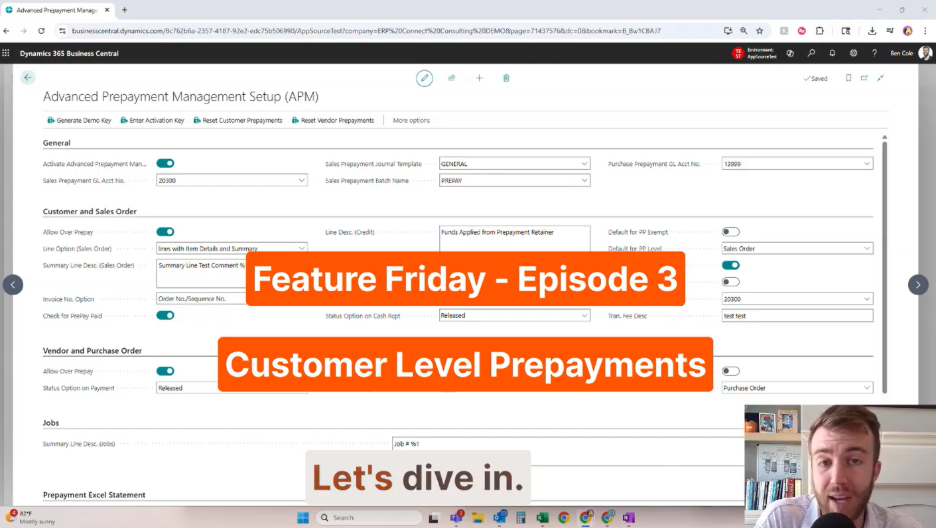
Why customer-level prepayments matter.
Many businesses collect funds upfront before products or services are fully delivered. Think about how a law firm manages a retainer account. Funds are received in advance, then applied flexibly over time as work is completed.
The same concept applies across equipment rental, construction, field service, manufacturing, and project-based businesses.
The problem is that standard prepayments in Business Central are tied too closely to individual orders. That creates unnecessary limitations when customers have multiple invoices, projects, or transactions happening simultaneously.
Without flexibility, finance teams often resort to manual journal entries, spreadsheet tracking, duplicate deposits, and difficult reconciliation processes. Over time, this can create reporting inconsistencies and reduce visibility into customer balances.
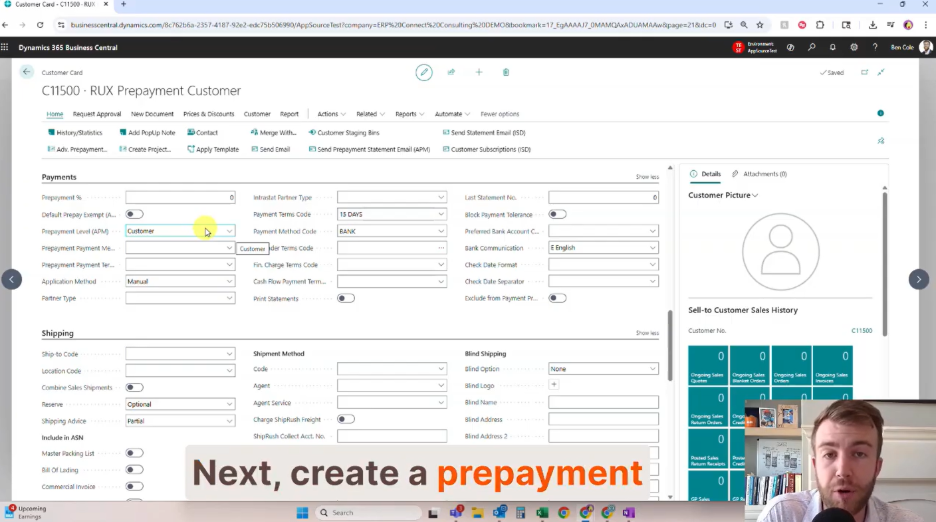
A more flexible approach to prepayments.
With the RUX Advanced Prepayments extension for Business Central, users can manage prepayments directly at the customer level rather than tying everything to a single order.
Our Feature Friday 3 video demonstrates how users can:
- Toggle Prepayment Settings on the Customer Card: Administrators can enable customer-level prepayment functionality directly from the customer card, making setup simple and centralized.
- Create Customer-Level Prepayment Invoices: Instead of attaching deposits to a single sales order, users can generate prepayment invoices tied to the customer account itself. This gives finance teams much more flexibility when managing ongoing work.
- Apply Funds Across Multiple Orders and Invoices: One of the most valuable improvements is the ability to allocate prepayments across multiple transactions. As invoices are created, available balances can be applied where needed while maintaining full accounting accuracy.
- Track Remaining Balances and History: The extension provides complete visibility into:
- Original prepayment amounts
- Applications against invoices
- Remaining balances
- Historical activity
- Full audit trails
This makes it much easier for accounting teams to answer customer questions and maintain strong financial controls.
- Export Summaries and Send Statements: The video also highlights exportable summaries, dashboards, and email-ready statements that help teams quickly communicate balances and activity with customers.
Built for real-world operations.
Customer-level prepayments are especially valuable for organizations managing long-term customer relationships, recurring work, or multiple concurrent transactions.
Instead of forcing accounting teams to work around system limitations, Advanced Prepayments introduces a more practical and scalable approach that aligns with how businesses actually operate.
The result is cleaner accounting processes, better visibility, reduced manual work, stronger financial controls, and improved customer service.
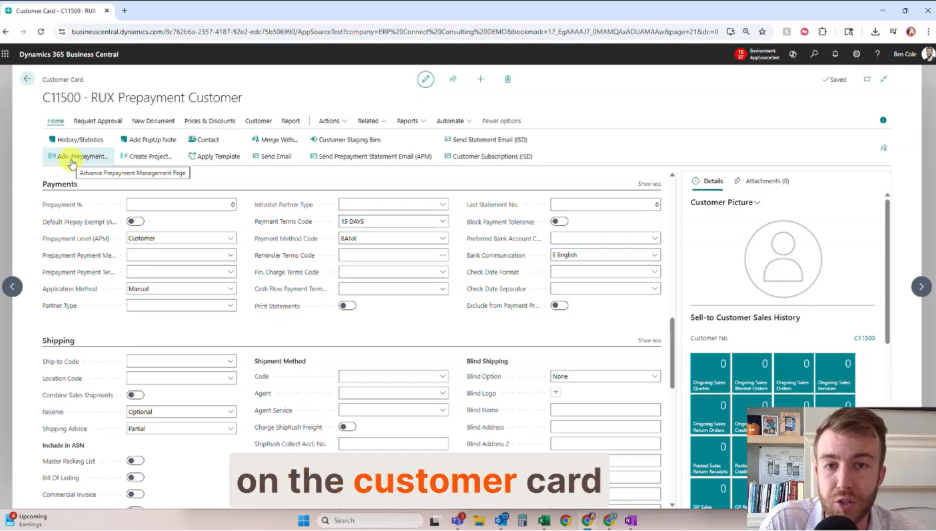
Watch the full Feature Friday episode.
In the full video, Ben also walks you through:
- Configuring customer-level prepayments
- Creating prepayment invoices
- Applying balances to invoices
- Reviewing audit trails and balances
- Exporting summaries and statements.
If this sounds helpful, explore more Business Central productivity tips on the RUX Software YouTube channel and subscribe so you never miss a Feature Friday episode!




Ready to take control of your operations?
RUX engineered oil and gas field service software to fit your operation—no patches, no guesswork. Business Applications built and configured for the oilfield service industry, our software solutions give you clarity and control to move forward with confidence.